1. Introduction
DOLE-X Human Resource Management System (HRMS) is an ongoing-development application which aim to cater operations in Human Resource. The system aims to provide as a data storage for employee records which is essential in filling up of Personal Data Sheet (PDS). Thru DOLEX-HRMS, employees can fill up and update employee records and upload important user documents in the system. Since the updating of data is centralized, employees and HR Unit can view and update employee records real-time.
As of the current version release, DOLEX-HRMS has the following functional modules:
- Employee Registration
- Employee Profile Updating
- Uploading of Personal Documents
- Leave Management module
- User Management (Admin)
- Reports Generation (Admin)
- HR Documents Request
IT Unit aims to futher extend the functions and modules of the system in compliance to PRIME-HRM
1.1. Copyright and Document Definition
1.1.1. Copyright
The Copyright in this work is vested in the Department of Labor and Employment - Regional Office 10 (DOLE-X). This document is issued in confidence for the purpose only for which it is produced. It must not be reproduced in whole or in part, or stored in a retrieval system or transmitted in any form or by any means electronic or mechanical including photocopying and recording or otherwise for any purpose other than under agreement or with the consent in writing of DOLE-X
1.1.2. Document Definition
This document contains detailed instructions on how to use the Human Resource Management System (HRMS). The purpose of this document is to provide guidance in using the system and is targeted at users that are primarily involved in creating and managing the HRMS. This guide assumes that you are familiar with any internet browser. It does not explain things such as how to use dialogue boxes or pop-up windows. This guide shows you how to get started with the system. It explains:
• Important concepts
• The overall processes you must perform
• Basic information about the important tasks you must perform
• Step-by-step instructions on how to accomplish specific tasks
1.2. System Modules
System Module
1. User Information Module
- Basic Information
- Family Background
- Educational Background
- Work Experience
- Eligibility
- Training
- Voluntary Work
- Special Skills
- Hobbies
2. Leave Module
- Leave Application
- Leave Table
1.3. System Concept
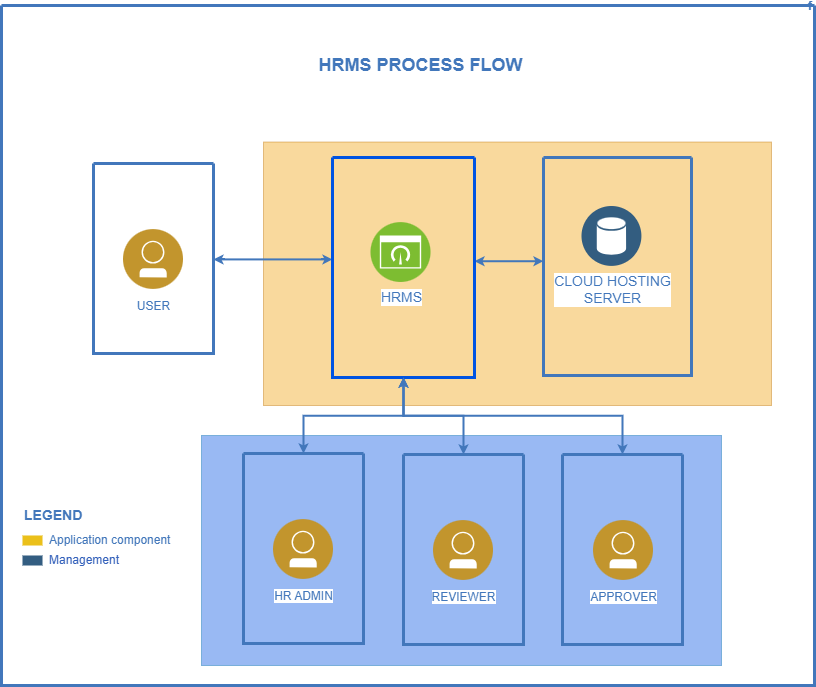
2. Getting Started
Before using the system, you are required to secure an account which is provided by Human Resource Unit. You may approach HR Unit or send an email to dole10hr@gmail.com
Please do not share your account details to anyone!
2.1. Register an account
Department of Labor and Employment - Regional Office 10 employees are instructed to register an account in the Human Resource Management System (HRMS) in order to perform various HR-related functions.
1. Navigate to the register page
https://hrms.dolexportal.com/register2. Provide the necessary details
- Fullname
- Email Address*
- Phone Number
- Password
- Office
Please provide your official work email. Email registered shall be used as official credentials for future transactions
Please provide a strong password. Never share your password to anyone!
You can edit your office later after setup
3. After filling out the necessary fields, click Sign Up
4. Wait for HR Unit to verify your account. Successfully verified accounts shall receive an email notification on the next steps in setting up your account
2.2. Logging in to the System
After securing an account from HR Unit, you may proceed in logging in to the system thru the link below:
https://hrms.dolexportal.com/login
Input provided email address and password.
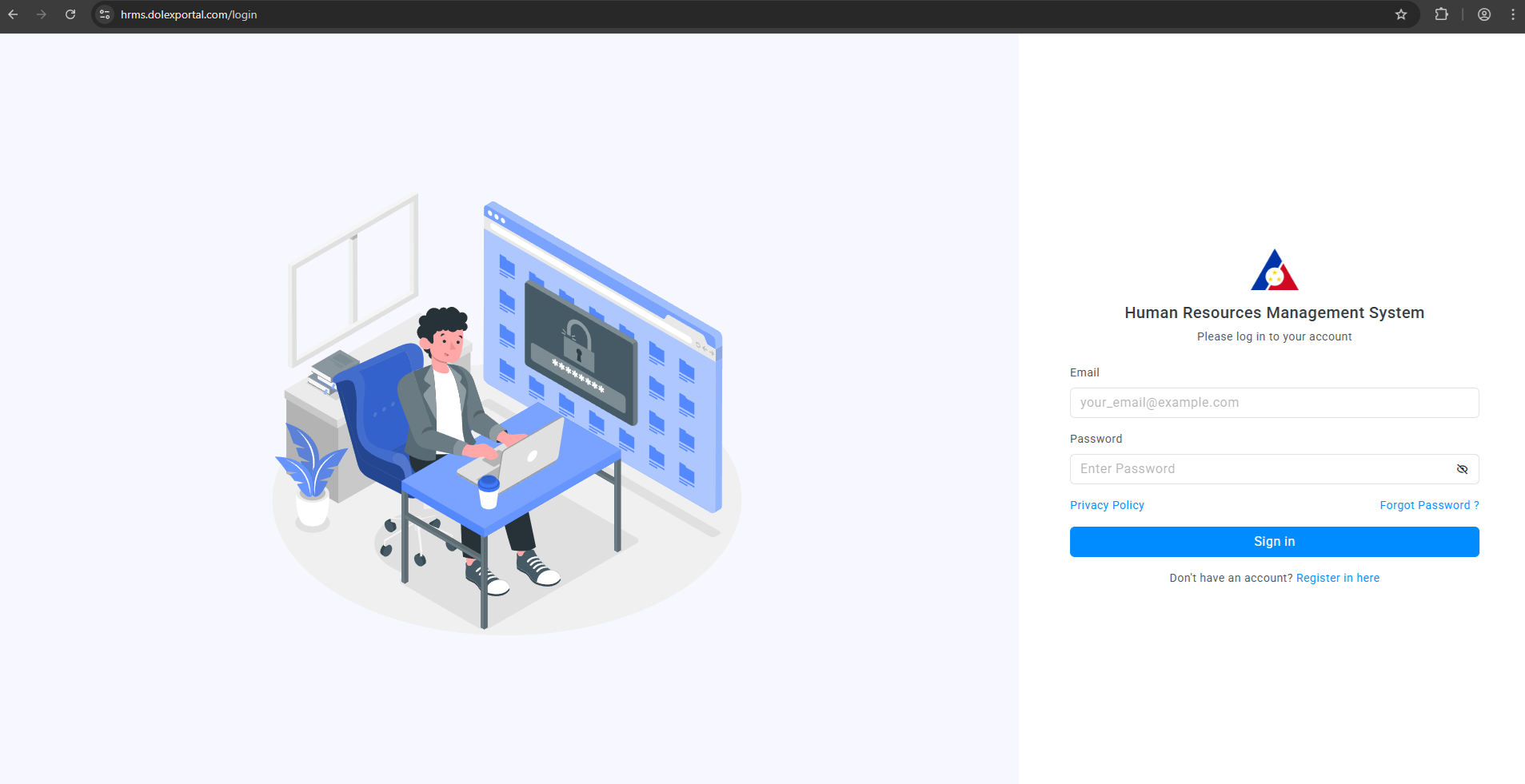
After successful login, you will be directed to the dashboard of the Human Resource Management System
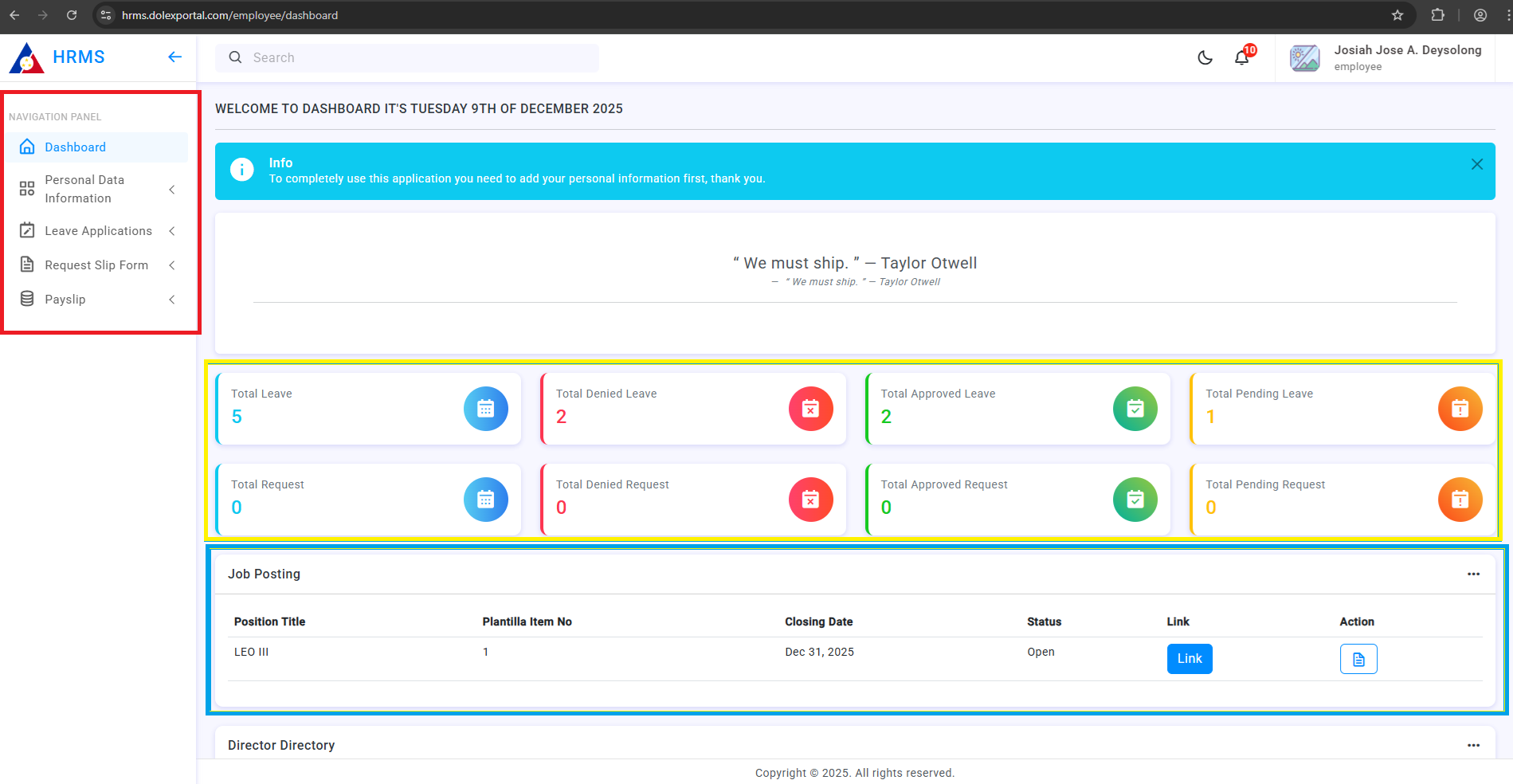
Section highlighted with blue table displays the current job vacancies of the Regional Office, this is updated regularly by the HR unit. Section highlighted with yellow show the data such as Leave applications and Request applications filed by the employee. Section highlighted with red displays the navigation dock of the system. In the navigation dock section is grouped by:
1. Personal Data Information - Contains the updated and relevant personal details of the employee
- Basic Information
- Family Background
- Children (*if any)
- Educational Background
- Elibilities
- Work Experience
- Voluntary Work
- Training
- Special Skills & Hobbies
- Other Information
2. Leave Applications- Contains the details of filed leave and for leave application module
- Leave Table
- File Leave
3. Request Slip - Contains the details of filed request (Certificate of Employment, Request to borrow, etc.) and for request application module
- Request List Table
- File Request
4. Payslip - Updated and latest payslip shall be uploaded by the HR Unit in this segment
5. Tutorial - Contains the updated tutorial for the HRMS (All tutorials for future enhancements of the system will be posted here)
User Information details were referenced from the Civil Service Form 212 (PDS)
3. Managing User Profile
User profile information is encoded by the user upon receiving account information. Only you, as the employee, is allowed to update your user information. You can updated your user information anytime in the system.
Before performing other functions in the system (File Leave, Request, etc.), you are required to update your user information. This is to prove authenticity of the user and is part of the technical process of the system.